You hired someone in the Philippines.
Now you’re staring at your calendar trying to figure out when the hell you’re supposed to talk to them.
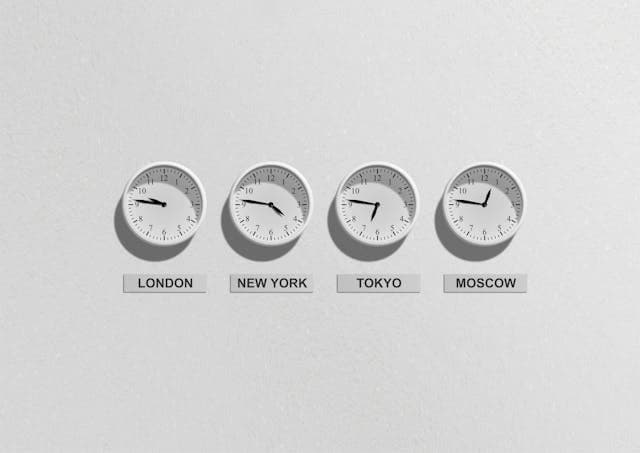
9 AM your time is 10 PM their time. Your evening is their morning. Your morning is… well, they’re probably asleep.
The 13-hour time difference between EST and Philippine Standard Time isn’t just annoying.
It can kill productivity if you don’t handle it right.
But here’s what most people get wrong: they try to force real-time overlap for everything.
The teams that actually make this work? They build systems around async communication with strategic overlap only when it matters.
Let me show you how.
Are You Looking to Hire in the Philippines and Unsure Where to Start?
Sign up for an account and recruit your next employee within minutes!
Get StartedThe First 30 Days
During onboarding, you need more face time.
Week One
Minimum 2–3 hours daily real-time sync for the first month.
This usually means your remote worker works 8 PM to 11 PM PHT (9 AM to 12 PM EST) for morning check-ins with you. Then they finish the rest of their shift during their daytime.
Or they work a full night shift if the role requires US hours coverage.
Week one especially. You’re teaching them your systems, your clients, your preferences about how you like reports formatted. Daily video calls. Lots of questions. Screen shares. Course corrections.
Weeks Two Through Four
By week two, you can start reducing. Every other day for calls. Daily for async check-ins.
By week four, you should be tapering off.
After onboarding: drop to 1 hour daily or 2–3 sessions weekly. Focus those sync times on high-priority handoffs, blockers, or strategic decisions.
Everything else? Async.
Setting Up Your Daily Check-In System
The magic is in structured handoffs.
You’re essentially running a relay race. You hand off the baton (tasks and context) when you’re ending your day. They run with it during their shift.
They hand it back (completed work and updates) before you start your next day.
No wasted hours waiting for responses. No confusion about priorities.
Here’s the structure that works.
What You Send Before Their Shift Starts
Time this for their morning PHT, which is your evening EST.
If they start at 9 AM PHT, send your brief by 8 PM EST.
Use Slack, email, Asana, whatever. Just keep it in one consistent place.
Your message should include six things:
1. Context. The bigger picture. “We’re prepping for Q2 client pitches” or “This supports the product launch next week.”
2. Specific request. Exact tasks. Not “work on email templates.” Instead: “Draft 5 email templates using Q1 conversion data.”
3. Resources. Links to files, spreadsheets, previous examples. Don’t make them hunt.
4. Deadline in their time zone. “By 5 PM PHT” is clearer than “by end of day.” They know exactly when you need it (which is 4 AM your time, ready for your morning review).
5. Decision authority. What can they own? “Choose the colors and layout. Flag anything over $500 budget.”
6. Anticipated questions. Pre-answer the obvious stuff. “Include trial users in the count, exclude free tier.”
This framework kills 80% of the back-and-forth clarification messages.
Using Video for Complex Instructions
Pro move: Record a 3-minute Loom video for anything complex.
Screen share plus your narration. They watch it at shift start. Clients who do this report cutting clarification requests by 80%.
Show them exactly what you want. Walk through the process. Point out potential pitfalls. They can pause, rewind, and reference it multiple times.
What They Send Before Your Day Starts
Your remote worker should send an end-of-day report before they clock out.
You review it when you start your EST morning. They’re wrapping up their evening PHT.
Standard template:
Completed: What got done, with links to deliverables.
In progress: Current status and estimated completion time.
Blocked: Specific input they need from you. “Need approval on logo option A or B.”
Flagged: Anything urgent or unusual. Client complaints, technical issues, opportunities.
Tomorrow’s plan: What they’re tackling next shift.
This lands in your inbox at 8 AM EST. You review it with coffee. You know exactly what happened, what needs your input, and what’s coming next.
No morning spent wondering “what did they work on last night?”
The Shared Task Board That Eliminates Status Updates
Get a task board. Asana, Trello, ClickUp. Free tiers work fine.
Set up these columns: Not Started, In Progress, Blocked, Review, Done.
Every task gets an owner, due date (with time zone noted), and priority level.
Both of you update it throughout your respective days.
They move cards from “Not Started” to “In Progress” when they begin. They add notes about blockers. They move finished work to “Review.”
You check it during your day. You move reviewed items to “Done.” You add new tasks to “Not Started.”
Nobody has to send “hey, what’s the status on that thing?” messages.
The board is the source of truth.
When you’re hiring remote workers from the Philippines, platforms like HireTalent.ph let you filter candidates by time zone flexibility and experience with async workflows, which makes finding people who can operate this way much easier.
Making Async Work Without the Chaos
Async only works if you’re good at it.
Most people aren’t. They send vague instructions, then get frustrated when the output isn’t what they wanted.
Here’s how to not suck at async:
Always Provide Buffer Tasks
Give them 2–3 low-priority fillers (data entry, research, organizing files) in case they hit a blocker on the main work.
This is the “No Blockers Principle.” They stay productive even if they can’t reach you.
Example buffer tasks:
- Update the CRM with last week’s contacts
- Research competitors’ pricing pages
- Organize Google Drive folders
- Transcribe meeting notes
Be Specific About File Locations
Don’t say “it’s in the drive somewhere.”
Say “Google Drive > Clients folder > Q1 Reports > [specific file name].”
Better yet, send direct links. Every time.
Use Voice Messages for Nuance
Sometimes tone matters. A 60-second voice message in Slack captures your thinking better than three paragraphs of text.
Use it when you need to explain the “why” behind something, not just the “what.”
Set Up Tools and Access on Day One
VPN, password manager, software logins. Don’t waste their first shift waiting for IT access.
Create a checklist:
- Email account
- Slack workspace
- Project management tool
- File storage access
- Any specialized software
- Password manager entry
Create Decision Frameworks
“If it costs under $200 and fits brand guidelines, approve it. If it’s over $200 or off-brand, flag me.”
The goal is to make them dangerous. In a good way.
Dangerous means they can make decisions and move work forward without you.
When You Actually Need Real-Time Overlap
Not everything can be async.
You need real-time for:
- Strategic planning sessions. Brainstorming. Complex problem-solving where you’re iterating together.
- Initial training on new tools or processes.
- Sensitive conversations (performance issues, major changes).
- Client calls or meetings where they need to be present.
Finding the Least Painful Overlap Windows
Schedule these during workable hours for both:
9 to 10 AM EST (10 to 11 PM PHT) works for many Filipino remote workers. It’s late for them but not middle-of-the-night late.
Or 7 to 8 AM EST (8 to 9 PM PHT) if you’re an early riser.
Compensating for Night Shifts
Some remote workers prefer full night shifts (their 10 PM to 6 AM = your 9 AM to 5 PM).
If you go this route, pay a night differential. A 20% to 50% premium is standard in Philippine BPO. For someone earning $1,000/month base, that’s an extra $200–$500/month.
And rotate them to async-heavy roles after 6–12 months if possible. Night shifts are sustainable for a while, not forever.
What Usually Goes Wrong (And How to Fix It)
Vague Instructions
You think you’re being clear. You’re not. Use the six-part framework every time.
If they’re coming back with questions on 50%+ of tasks, the problem is your instructions, not their comprehension.
No Buffer Tasks
They hit a blocker at hour two of their shift, then sit idle for six hours waiting for your response.
Always give backup work. Always.
Forcing Too Much Real-Time
You’re both exhausted. Scale back to async. Save sync time for what truly needs it.
If you’re doing more than 3–5 hours of real-time per week after month one, you’re doing it wrong.
Ignoring Burnout Signs
If they’re consistently late with deliverables, making more mistakes, or less communicative, they might be burning out on night shifts.
Address it. Ask directly: “How are you managing the night schedule? What would help?”
Tool Access Issues
Nothing kills momentum like spending three days getting them into your project management system.
Handle all access on day one. Test it together on a video call.
Not Celebrating Wins
Remote work can feel isolating. When they nail something, tell them.
Publicly if possible. “Sarah crushed the client report—saved us 4 hours and the client loved it.”
Start Simple, Build From There
Don’t try to implement everything at once.
Week one: Just get the daily check-ins working. Your evening brief. Their morning execution. Their evening report. Your morning review.
Week two: Add the shared task board.
Week three: Introduce Loom videos for complex instructions.
Week four: Optimize your sync time based on what’s actually needed versus habit.
By month two, you’ll have a rhythm that works for both of you.
The 13-hour time difference stops being a problem. It becomes an advantage.
You hand off work at the end of your day. You wake up to completed tasks. You review and provide feedback. They wake up to clear direction.
It’s like having two workdays in one calendar day.
But only if you build the system right.
Start with clear handoffs. Add structure. Minimize forced overlap. Trust the process.
Your Filipino remote worker will do the rest.