Here’s what usually happens.
You hire a remote worker. You’re excited. You explain a task over Slack. They say “Yes, I understand.” You move on.
Two days later, the work comes back wrong. Or incomplete. Or not at all.
So you explain it again. This time with more detail. They apologize. You think it’s fixed.
But next month, when the same task comes up, you’re explaining it from scratch again.
This cycle eats your time. It frustrates your remote worker. And it makes you wonder if hiring remotely was a mistake.
The real issue? You’re treating one-time explanations like they’re permanent instructions.
They’re not.
What an SOP Actually Does for You
A Standard Operating Procedure is just a written version of how to do something. That’s it.
Not fancy. Not corporate. Just clear steps that anyone can follow without asking you questions.
When you document a task once, you never explain it again. Your remote worker checks the SOP. They do the work. You review the result.
No back-and-forth. No confusion. No dropped balls.
And here’s the part most people miss: SOPs don’t just help your remote worker. They help you hand off tasks completely. You stop being the bottleneck.
The 67% Problem Nobody Talks About
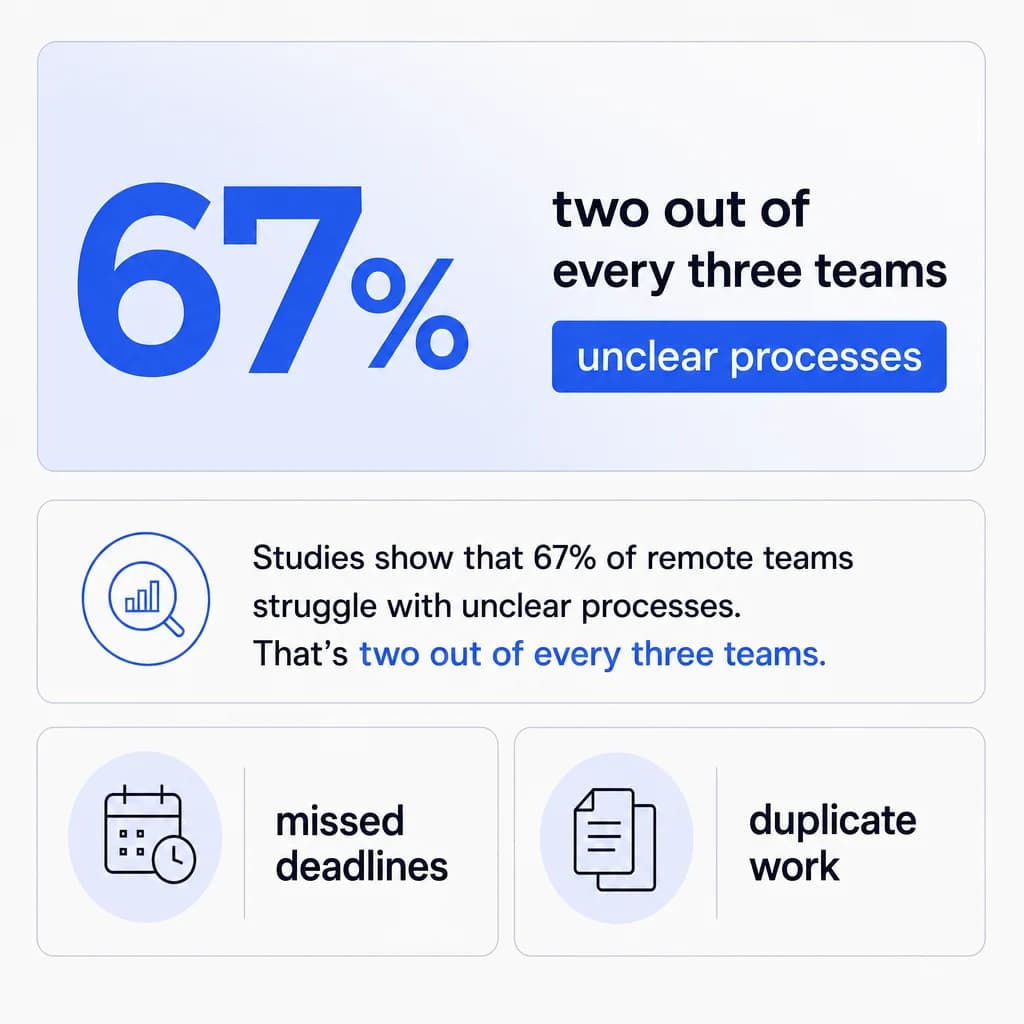
Studies show that 67% of remote teams struggle with unclear processes. That’s two out of every three teams.
And when processes aren’t clear, you get predictable problems: missed deadlines, duplicate work, and tasks that fall through the cracks because nobody knew who was supposed to do them.
Filipino remote workers are detail-oriented. They follow instructions well. But they need those instructions written down.
Start With the Tasks You Repeat Every Week
Don’t try to document everything at once. You’ll burn out before you finish.
Instead, look at your calendar from last week. What tasks did you do more than once? What did you explain to your remote worker multiple times?
Those are your SOP candidates.
Common Tasks Worth Documenting First
Responding to customer emails
Posting on social media
Updating your CRM
Processing orders
Scheduling appointments
Creating reports
Pick one. The simplest one. Document that first.
The Only SOP Structure You Need
Forget complicated templates. Here’s what works:
Task Name and Purpose
Task name at the top. Make it specific. Use “How to respond to customer support emails” instead of “Customer service.”
Why this matters. One sentence. Example: “Fast responses keep customers happy and reduce refunds.”
Required Tools and Resources
Tools you’ll need. List the software, logins, or files required.
Step-by-Step Instructions
Steps. Number them. One action per step. Example:
Open Gmail.
Check the Support label.
Read the customer’s question.
Quality Standards and Examples
What good looks like. Show an example of the finished work: a screenshot, a sample email, or a completed spreadsheet.
Common Mistakes to Avoid
Common mistakes. List the errors you’ve seen before. Example: “Don’t reply without checking the customer’s order history first.”
Escalation Guidelines
When to ask for help. Be explicit. Example: “If the customer is asking for a refund over $100, tag me before responding.”
That’s it. You don’t need more.
Let Them Write It (Seriously)
Here’s a trick that saves you time and makes better SOPs.
After you train your remote worker on a task, have them write the SOP.
You do the task once while they watch. They take notes. Then they write up the steps in their own words.
You review it. Correct anything wrong. Approve it.
Why This Approach Works
This does three things:
It forces them to actually understand the process.
It reveals gaps in your training.
It saves you from staring at a blank page trying to remember every detail.
When you’re ready to scale your team and need to bring on additional remote workers fast, HireTalent.ph lets you post detailed job descriptions that can include your existing SOPs, so new hires see exactly what’s expected before they even apply.
Screenshots Are Not Optional
Text alone doesn’t work for most tasks.
Your remote worker might use different browser settings. Their screen might look different. A button you call “Submit” might look like “Send” to them.
How to Use Visual Documentation Effectively
Take screenshots. Lots of them.
Circle the button they need to click.
Draw arrows.
Add text boxes with notes.
Yes, this takes an extra 10 minutes. But it prevents 10 hours of confusion later.

When to Use Video SOPs
For video SOPs, tools like Loom work great. Record your screen while you do the task and talk through each step. Send the link.
Your remote worker can watch it at their own pace, pause it, and rewatch confusing parts.
The Two-Tier Escalation Rule
This is where most SOPs fail: they don’t tell your remote worker when to make decisions alone and when to ask you.
So they ask about everything. Or they ask about nothing. Both are problems.
Tier 1: Ask First
Fix this with two tiers:
Tier 1: Ask first. List specific situations where they need your approval before acting. Examples:
“If a customer requests a refund, ask me first.”
“If the budget for an ad goes over $50, check with me.”
Tier 2: Do It, Then Tell Me
Tier 2: Do it, then tell me. Everything else, they handle and report back. Example: “If a customer asks about shipping times, answer from the FAQ and let me know in our daily update.”
Be specific about what goes in each tier. Don’t make them guess.
Build In Quality Checks
Your SOP should include how to verify the work is done right.
Creating Effective Verification Steps
Not just “Send the email” but: “Send the email, then mark the ticket as resolved in the spreadsheet.”
Not just “Post to Instagram” but: “Post to Instagram, check that the image isn’t cropped weird, then log the post in our content calendar.”
These checks catch mistakes before they become problems.
The Final Review Checklist
Add a final step: “Review your work against this checklist before marking the task complete.”
Then include an actual checklist in the SOP.
Maximizing Asynchronous Work
In your SOPs, be clear about what needs real-time communication and what doesn’t.
Most tasks don’t need you both online at the same time. Your remote worker does the work during their day. You review it during yours. They see your feedback and make updates. It keeps moving.
Using Overlap Hours Strategically
Save your overlap time (usually 2–4 hours depending on your location) for actual blockers: urgent questions and complex problems.
Put this in your SOPs: “If you’re stuck and can’t move forward, send a Slack message with ‘BLOCKER’ in the subject. Otherwise, note questions in your end-of-day update.”
How to Test Your SOPs Properly
Have your remote worker follow it step-by-step while you watch (over screen share). Don’t help. Don’t interrupt. Just watch.
You’ll immediately see where they get confused, where your instructions are vague, and where you assumed knowledge they don’t have.
Fix those spots. Test again.
When to Go Live
Only after they can complete the task perfectly by following the SOP do you let them do it unsupervised.
This testing phase feels slow. But it’s faster than weeks of back-and-forth corrections.
Store Them Where They’re Easy to Find
The best SOP in the world is useless if your remote worker can’t find it.
Use one central location. Not scattered across email, Slack, Google Drive, and Dropbox.
Options that work:
Notion (searchable, easy to organize)
Google Docs in one shared folder
A simple spreadsheet with links to each SOP
Final Thoughts
SOPs do something else. Something bigger than just getting tasks done right.
They free you from being the single point of knowledge in your business.
Right now, everything’s in your head. If you’re unavailable, work stops.
If you’re sick, nothing moves forward. If you want to take a vacation, you’re still answering Slack messages.
SOPs transfer that knowledge out of your head and onto paper (or screen). Your remote worker becomes genuinely independent.
That’s when hiring remotely actually saves you time instead of just shifting where your time goes.
And that’s the whole point.