You probably think hiring someone to help with writing means finding a wordsmith who’ll magically nail your voice on day one.
That’s not how it works.
Good writing support isn’t about finding someone who writes exactly like you.
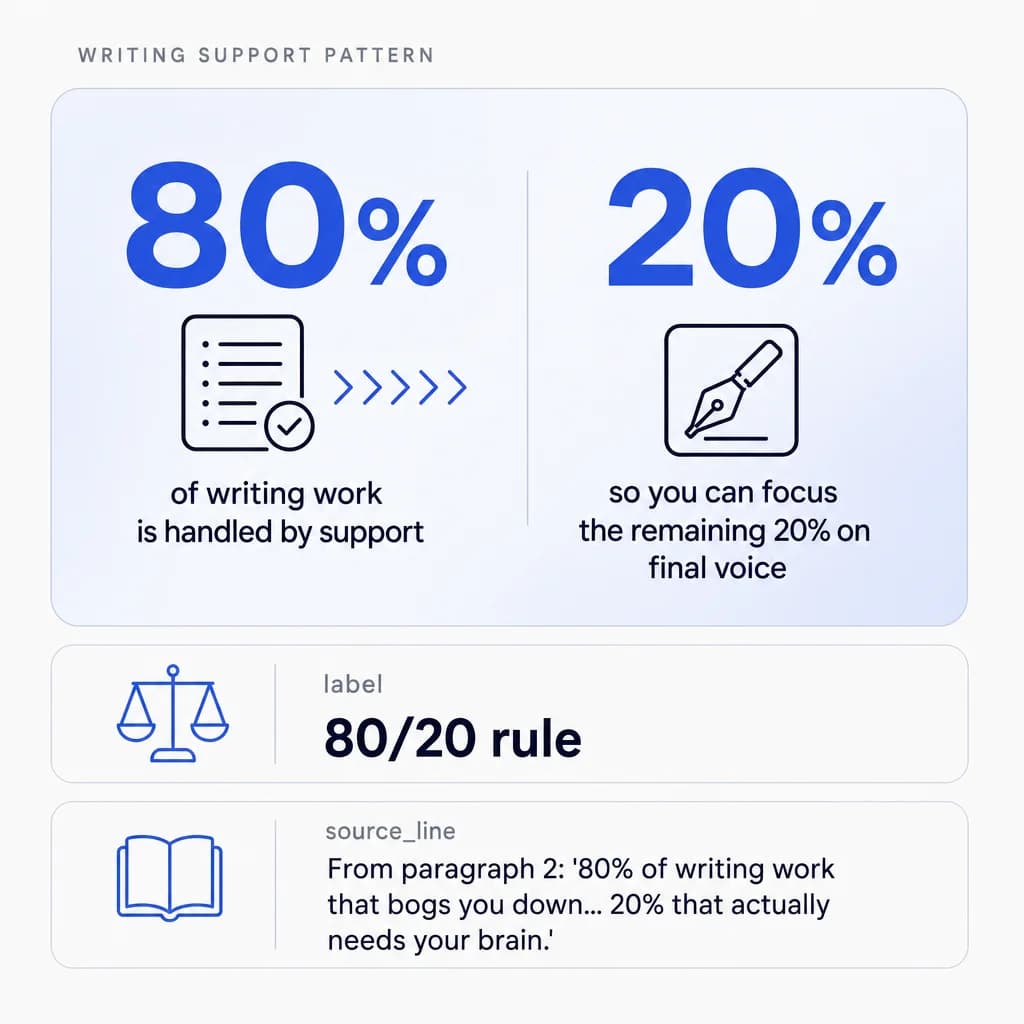
It’s about finding someone who can handle the 80% of writing work that bogs you down so you can focus on the 20% that actually needs your brain.
Let me show you what that actually looks like.
Research and First Drafts
They dig through Google, pull relevant information, organize it in a Google Sheet or Doc, and create an outline you can work from.
You’re not starting from a blank page anymore. They identify key data points, competitor angles, and supporting statistics—then structure everything so you can jump straight to writing the parts that matter.
Editing and Content Cleanup
You recorded a video or voice memo? They transcribe it, clean up the rambling parts, format it properly, and turn it into a blog post or email.
Your ideas, their execution. They remove filler words, tighten sentences, and organize your thoughts into a logical flow while keeping your natural speaking style intact.
Social Media Captions and Graphics
They draft posts, create graphics in Canva using your brand templates, and schedule everything in Buffer or Hootsuite.
You approve, they post. They also adapt one piece of content into multiple formats—turning a blog post into five social posts, three quote graphics, and a carousel.

Email Responses and Client Communication
They handle the first draft of routine emails. You tweak and send. Saves you an hour a day, easy. They manage follow-ups, organize your inbox with labels and filters, and flag urgent messages that need your personal attention.
Formatting and Document Organization
They take your messy Google Docs and turn them into proper reports, presentations, or formatted blog posts ready to publish. They apply consistent heading styles, add proper spacing, insert images, and ensure everything matches your brand guidelines.
The pattern here? They do the grunt work. You do the creative direction.
That’s what good writing support looks like.
Here’s What the First Two Weeks Should Look Like
Onboarding is where most people screw this up.
They hire someone, throw them a task, and expect magic. Then they’re disappointed when the output doesn’t match their vision.
You need to actually train them.
Week One: Style Immersion and Assessment
Share examples of your best writing: blog posts you’re proud of, emails that got great responses, social posts that performed well. Have them read through everything and take notes on your style. Short sentences or long? Casual or professional? Lots of line breaks or dense paragraphs?
Create a simple style document together. Ask them to identify patterns they notice. Do you always start with a question? Do you use specific phrases repeatedly? Do you avoid certain words?
Give them a small test task—maybe research a topic and create an outline, or take an existing piece and rewrite it in a different format. See how they think. This reveals their research process, organizational skills, and how they interpret instructions.
Week Two: Real Tasks with Clear Feedback Loops
Assign a real task with clear instructions.
“Research these five competitors, pull their main talking points, organize in a Google Sheet, then draft a 500-word blog post outline.” Be specific about what you want. Include examples of good outlines versus bad ones.
Review their work together. Don’t just mark it up and send it back—jump on a call and walk through what worked and what didn’t.
This builds a living style guide in their head. Explain why certain choices work better than others—not just what to change.
By the end of week two, they should be able to handle basic tasks independently. By month two, they should be anticipating what you need before you ask.
The Tools That Make This Actually Work
You don’t need fancy software. You need the basics done right.
Core Writing and Editing Tools
-
Grammarly catches grammar issues and tone problems. Your remote worker runs everything through it before sending to you. The premium version also checks for clarity, engagement, and delivery tone—helping them match your preferred style.
-
Hemingway Editor highlights complex sentences and passive voice. Useful for keeping writing clear and direct, especially for blog posts and web content.
Design and Visual Content
-
Canva is how they create graphics, social posts, and visual content without needing a designer. You set up brand templates once; they use them forever. They can quickly resize designs for different platforms, maintain consistent branding, and create professional-looking visuals in minutes.
Collaboration and File Management
-
Google Workspace for everything else: Docs for drafts, Sheets for research, Calendar for deadlines, Drive for file organization. Keep it simple. Use suggesting mode in Docs so you can see exactly what they changed. Create shared folders with clear naming conventions.
Project and Task Management
-
Trello or Asana for task management. They can see what’s due, what’s in progress, and what’s done. You can see the same thing. No need for constant “what’s the status” messages. Set up boards for different content types or create a simple pipeline: To Do → In Progress → Review → Published.
Async Communication
-
Loom for async communication. Instead of writing a novel explaining what you want, record a 3-minute video walking through it. They watch, take notes, execute. This works especially well for explaining edits, demonstrating processes, or providing feedback on completed work.
Technical Requirements
Make sure they have stable internet (at least 10 Mbps), a decent webcam, and a backup power supply. Power outages happen in the Philippines.
How to Keep Your Voice While Someone Else Does the Writing
This is the fear, right? That it’ll sound like someone else wrote it.
Here’s the trick: don’t ask them to write in your voice from scratch. Ask them to build the foundation, then you add your voice on top.
The Division of Labor That Preserves Your Voice
-
They research and outline. You write the intro and conclusion.
-
They draft the body. You punch it up with your personality.
-
They format and organize. You add the stories and examples only you know.
You’re not editing their writing. You’re using their structure as a starting point for yours.
The Evolution of Style Matching
Over time, they’ll get better at mimicking your style. But even then, you’re still doing the final pass. That’s where your voice lives.
They’ll start noticing which phrases you consistently add, which transitions you prefer, and which examples resonate with your audience.
Keep a running document of your edits. When you change something, briefly note why.
For example: “I changed this to a question because we always start sections by engaging the reader directly.” This creates a reference guide they can consult.
Why AI Isn’t the Answer Here
Some people try to use AI to “learn” their writing style and have their remote worker prompt it. That works okay for some stuff.
But here’s what works better: give your remote worker permission to write in a neutral, clear style, then you add personality. It’s faster and more authentic than trying to train AI.
AI tends to homogenize voice.
A human remote worker learns your specific quirks, the phrases you’d never use, the analogies that fit your industry, the subtle tone shifts between different content types.
What to Pay and How to Structure It
Filipino remote workers doing writing support typically earn $600–$1,200 per month for full-time work (160 hours).
Part-time (20 hours/week) runs $300–$600/month.
How Experience Affects Rates
The rate depends on experience and skill level. Someone fresh out of college with basic English skills is on the lower end. Someone with 3–5 years doing content work for US companies is on the higher end.
-
Mid-level writers with 1–2 years of remote experience typically land around $700–$900/month. They can handle most tasks independently but still need guidance on complex projects.
-
Senior-level support—someone who’s managed content calendars, understands SEO, and can strategize—pushes toward $1,000–$1,200/month. Worth it if you need someone who can own entire content workflows.
Outcome-Based vs. Hourly Tracking
Avoid hourly tracking if you can. Pay for outcomes, not hours. “I need three blog posts drafted and five social posts created this week” is better than “work 8 hours and track everything.”
This shifts the focus to results and efficiency. If they finish everything in 6 hours instead of 8, great—they’re efficient. If it takes 10, that’s on them to improve their process. You’re buying completed work, not time.
Where to Find reviewed candidate profiles
When you’re ready to hire, HireTalent.ph lets you browse reviewed profiles of Filipino remote workers with writing experience.
You can filter by specific skills like content writing or social media management and connect directly without agency fees. This cuts out the recruiter markup while still giving you access to qualified candidates.
When You Know It’s Actually Working
You’ll know you’ve got good writing support when you stop thinking about the writing tasks.
Signs of Successful Delegation
-
Blog posts just appear in your draft folder, ready for your final review. You’re spending 15 minutes polishing instead of 2 hours creating from scratch.
-
Social media content is scheduled a week out. You check the calendar Monday morning and see the entire week planned, drafted, and queued.
-
Email responses are drafted and waiting for your approval. You skim, make minor tweaks, and send. Your inbox isn’t a source of stress anymore.
-
Research is compiled and organized before you even ask for it. They’ve started anticipating what you’ll need for next month’s content based on past patterns.
Making the Move From Bottleneck to Breakthrough
Most business owners are doing $10/hour work when they should be doing $1,000/hour work. Writing support fixes that: you focus on the high-value stuff; they handle the execution.
The Philippines has millions of people who can do this work well. They’re affordable, reliable, and want to stick around long-term.
You just need to hire one, train them properly, and let them take this stuff off your plate.
Start Small, Scale Smart
Start with one person and one set of writing tasks. Get that working smoothly, then expand.
Maybe you begin with blog post research and outlines. Once that’s humming, add social media, then email management, then more complex projects.
Each addition builds on the systems you’ve already created. The documentation gets better. The communication gets smoother. The trust deepens.
Your writing doesn’t have to be a bottleneck anymore.